Live floor control
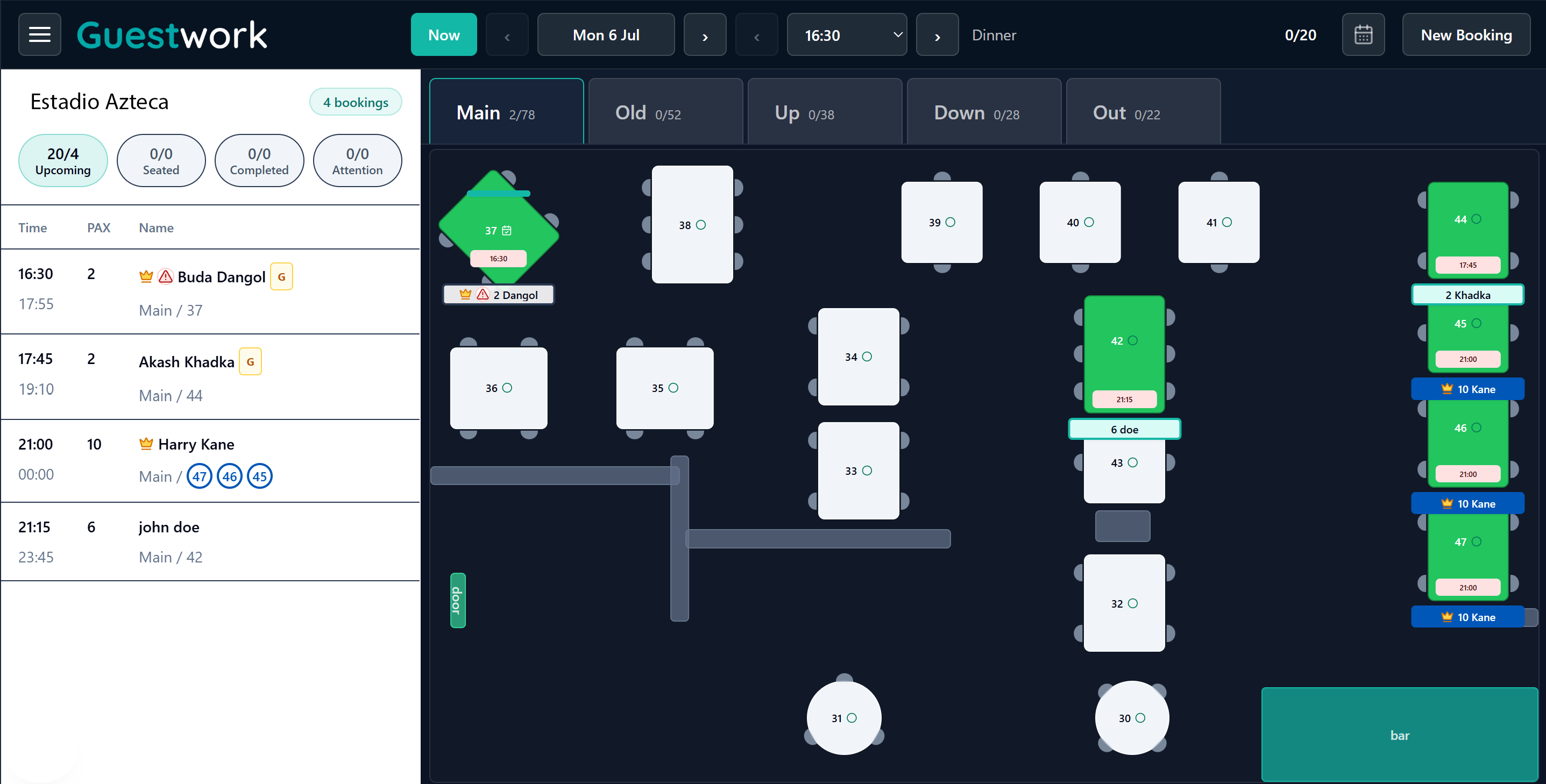
See the booking list, room tabs, table status, cover ranges, and exact floor layout together.

Guestwork connects reservations to the real room: exact tables, service areas, booking status, staff decisions, timing pressure, and kitchen load.
Each view answers a practical service question: who is arriving, where they are sitting, when the table turns, and where pressure is building next.
See the booking list, room tabs, table status, cover ranges, and exact floor layout together.
Map reservations across the evening, including multi-table bookings and the moment each table becomes free.
Monitor arrivals, occupancy, busiest tables, table pressure, and kitchen load before problems reach the floor.
Some booking apps promise more covers, then quietly turn your regulars and direct-demand guests into a recurring cost. If an existing customer books through a platform charging up to 4 pounds per cover, that fee comes straight from the thin profit left after food, labour, rent, VAT, utilities, and service.
More covers is not the same as more profit when the platform is cannibalising the customer base your restaurant already built.
Read the articleResDiary, SevenRooms, OpenTable, Tock, TheFork, and newer independent tools all have useful ideas: discovery, marketing, integrations, automation, white-label booking, and analytics. Guestwork's starting point is narrower and more practical: help a real team control tables during live service.
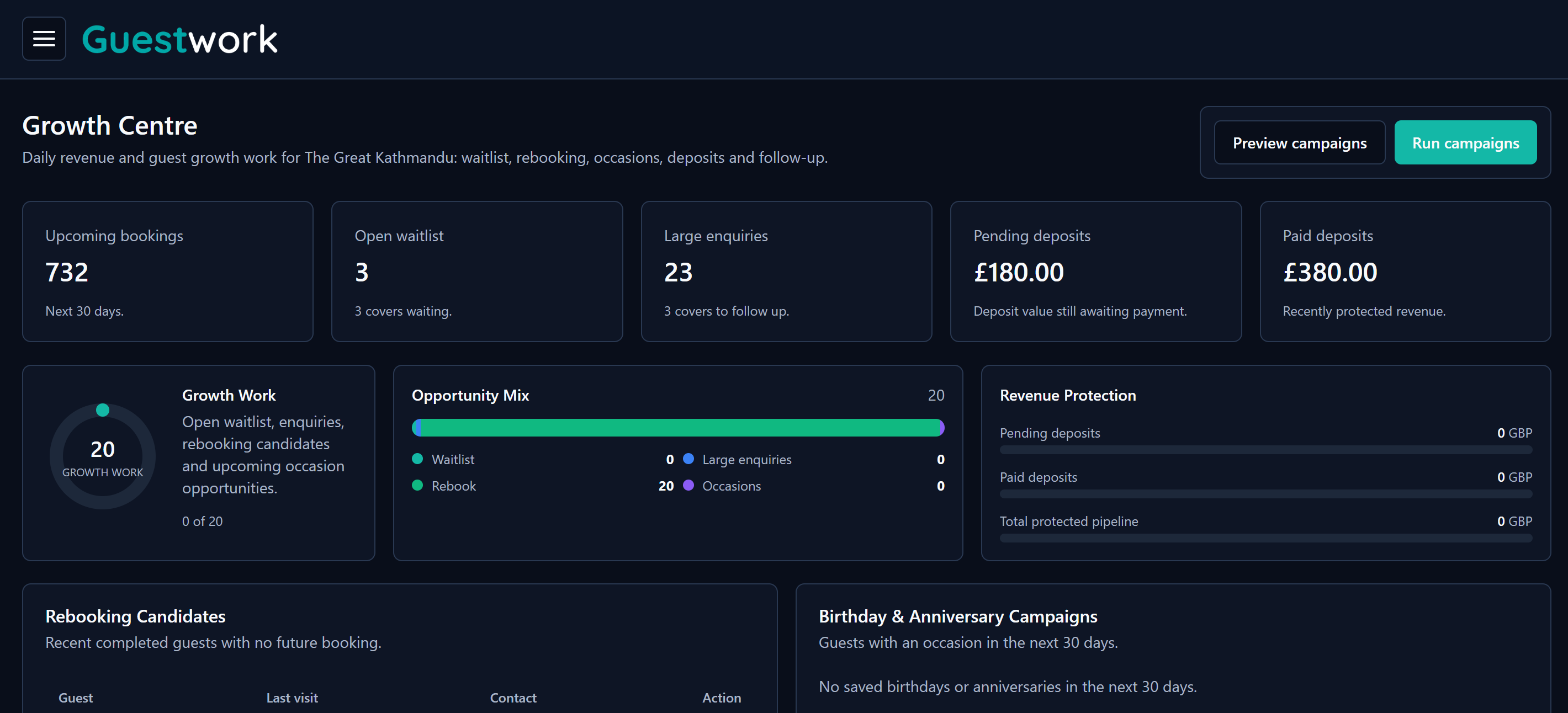
Growth is not only about finding more covers. Guestwork studies how your tables, service rhythm, booking patterns, and pressure points behave, then uses assisted service intelligence to help you seat smarter, protect turns, reduce gaps, and earn more from the same room without adding more admin.
Guestwork started from the daily pressure of running a restaurant, not from a spreadsheet of software features. The problem was simple: online booking tools could collect a reservation, but they did not always help the team run the room.
In service, the question is not only who booked. It is which table they fit, which area is open, how long the table is held, and whether the kitchen can handle the next wave of arrivals.
A booking system should help the person on the floor make quick decisions. Guestwork is designed around day view, table status, walk-ins, notes, and clear actions during a busy shift.
Independent restaurants should not have to bend their service around a generic booking tool. Guestwork gives control over rooms, tables, floorplans, and booking flow without making the system feel heavy.
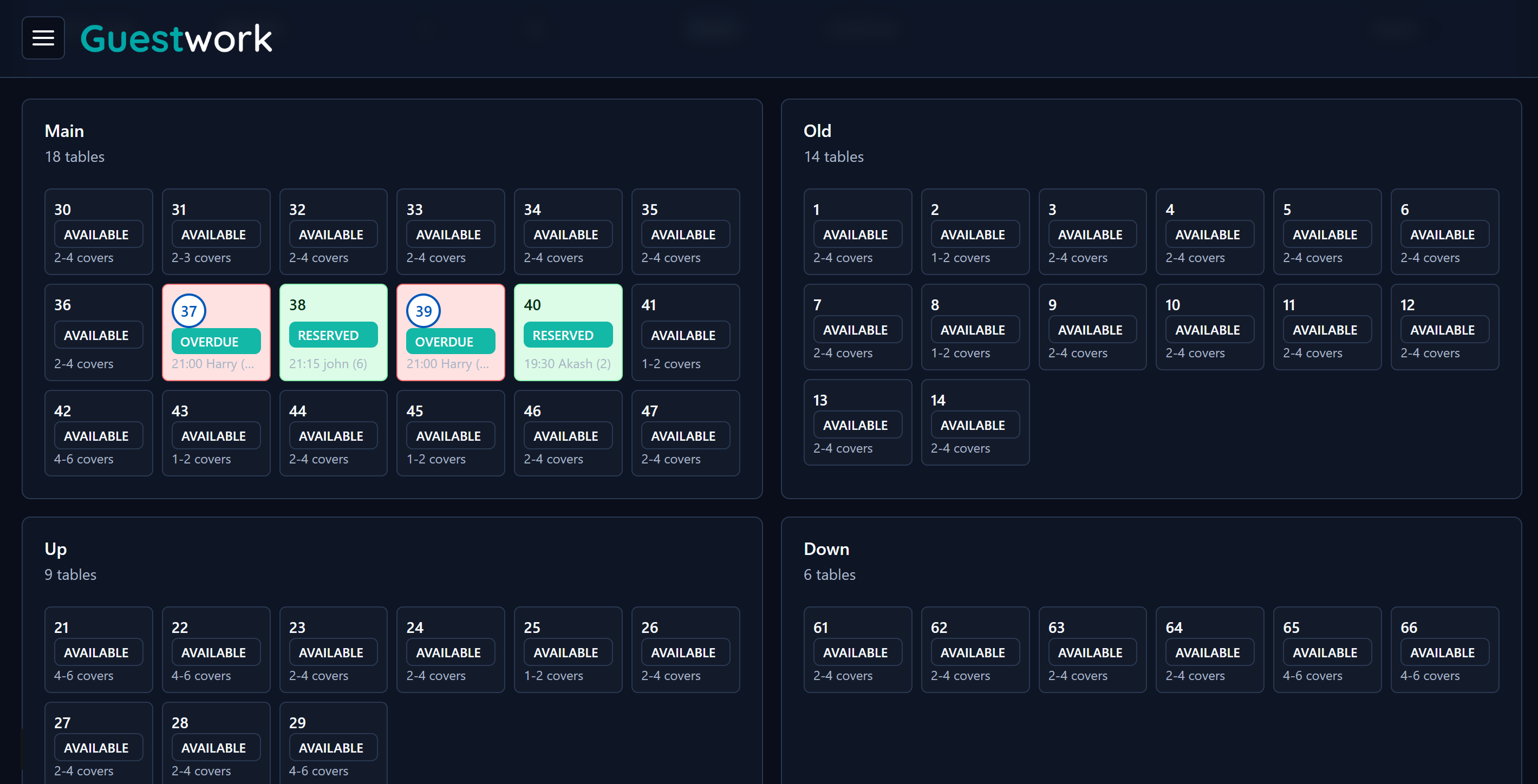
Guestwork shows each area separately, so your team can see available and reserved tables before the rush begins.
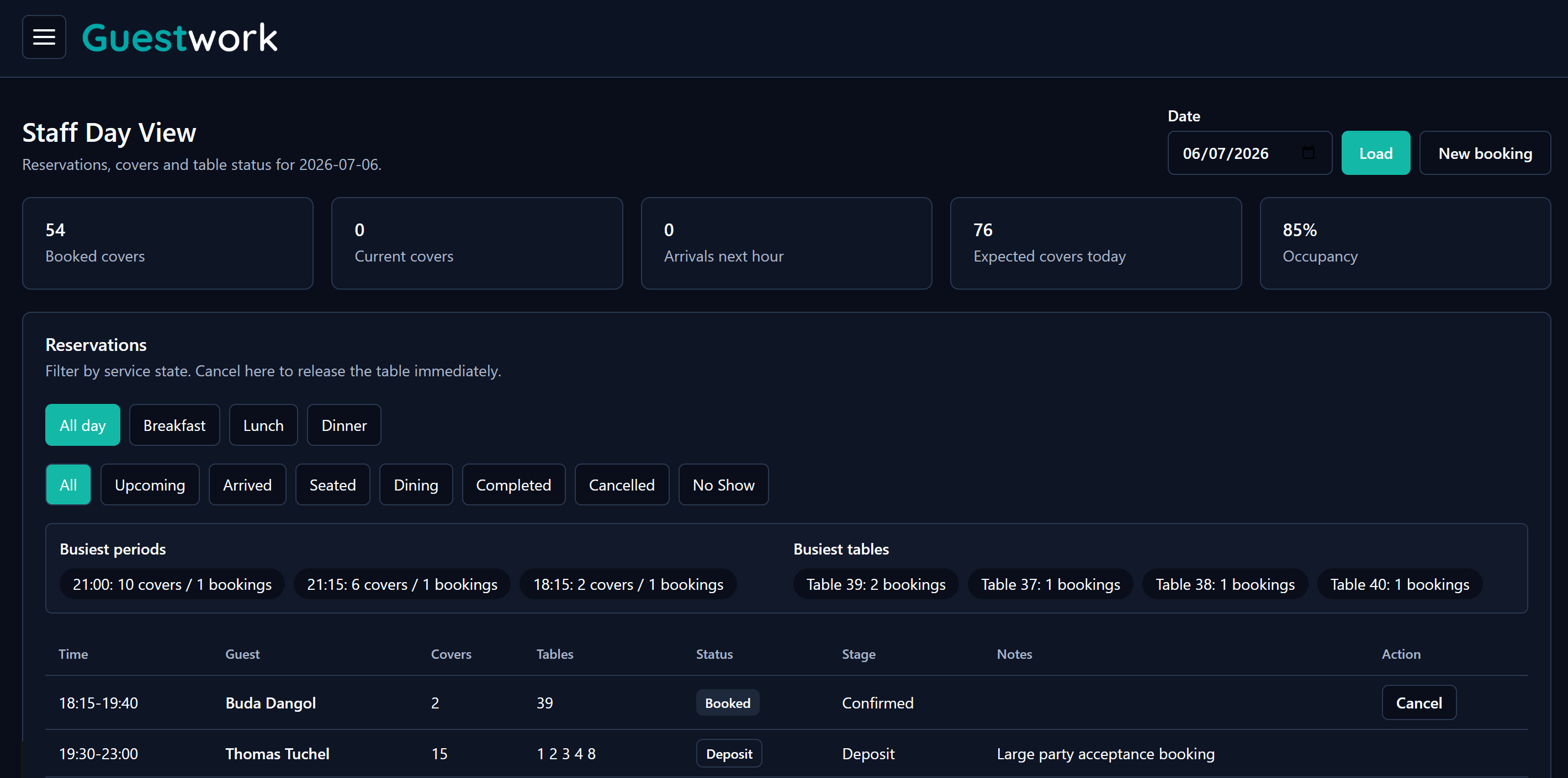
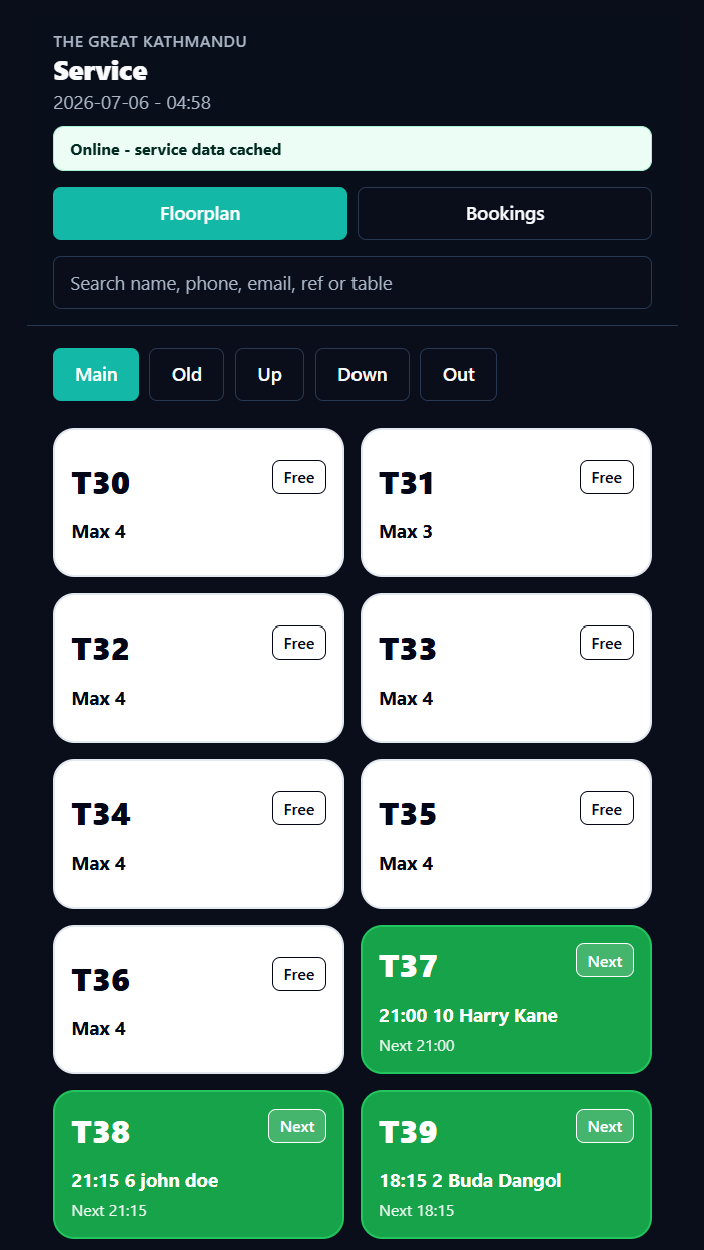
See covers, arrivals, occupancy, booking status, notes, and table numbers without digging through separate screens.
Guestwork keeps the service view usable on phones, tablets, and computers. The team can check table status, search bookings, and move through rooms without stepping away from the floor.
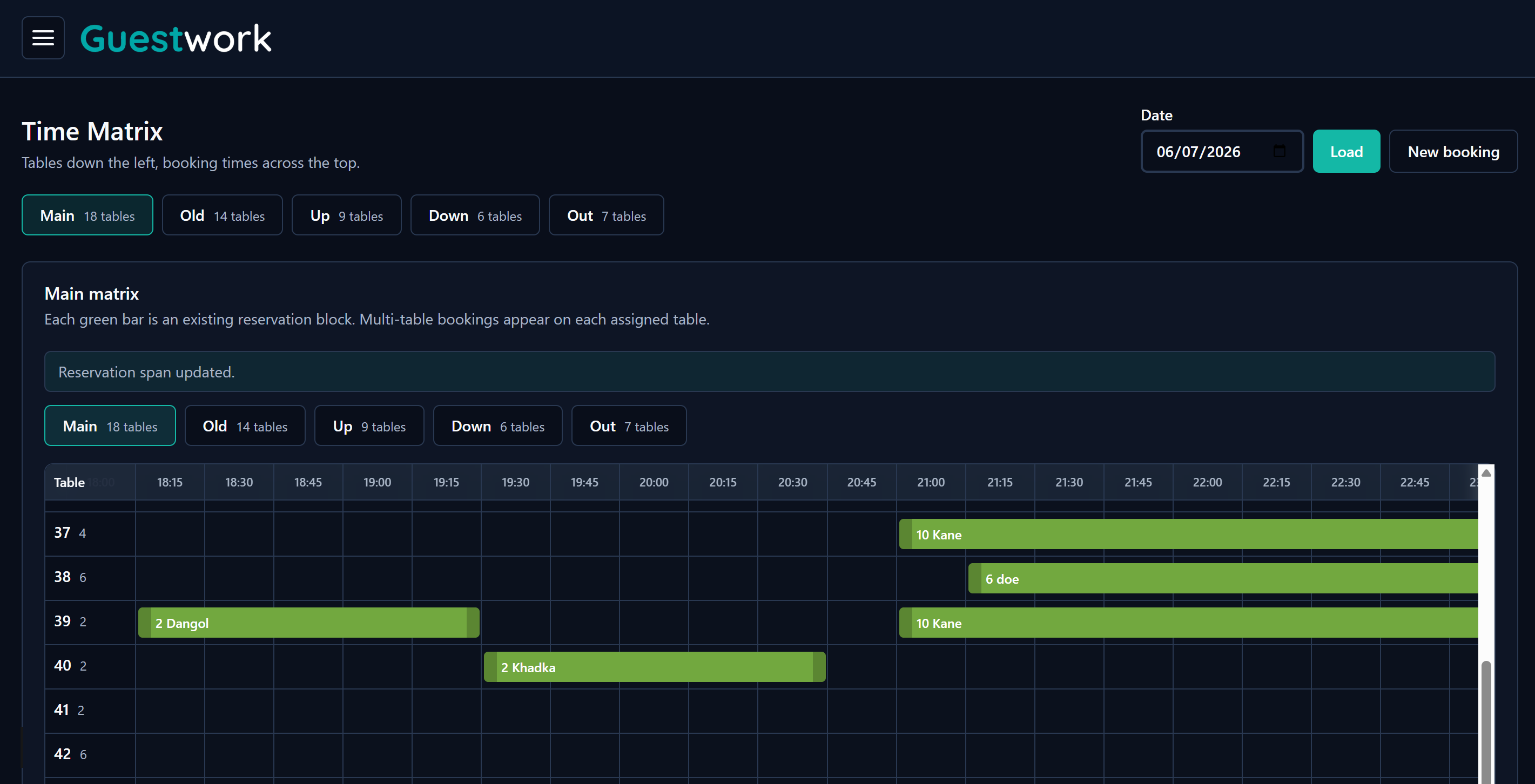
The matrix view maps bookings against time, so staff can see exactly where each reservation sits and when a table becomes free again.
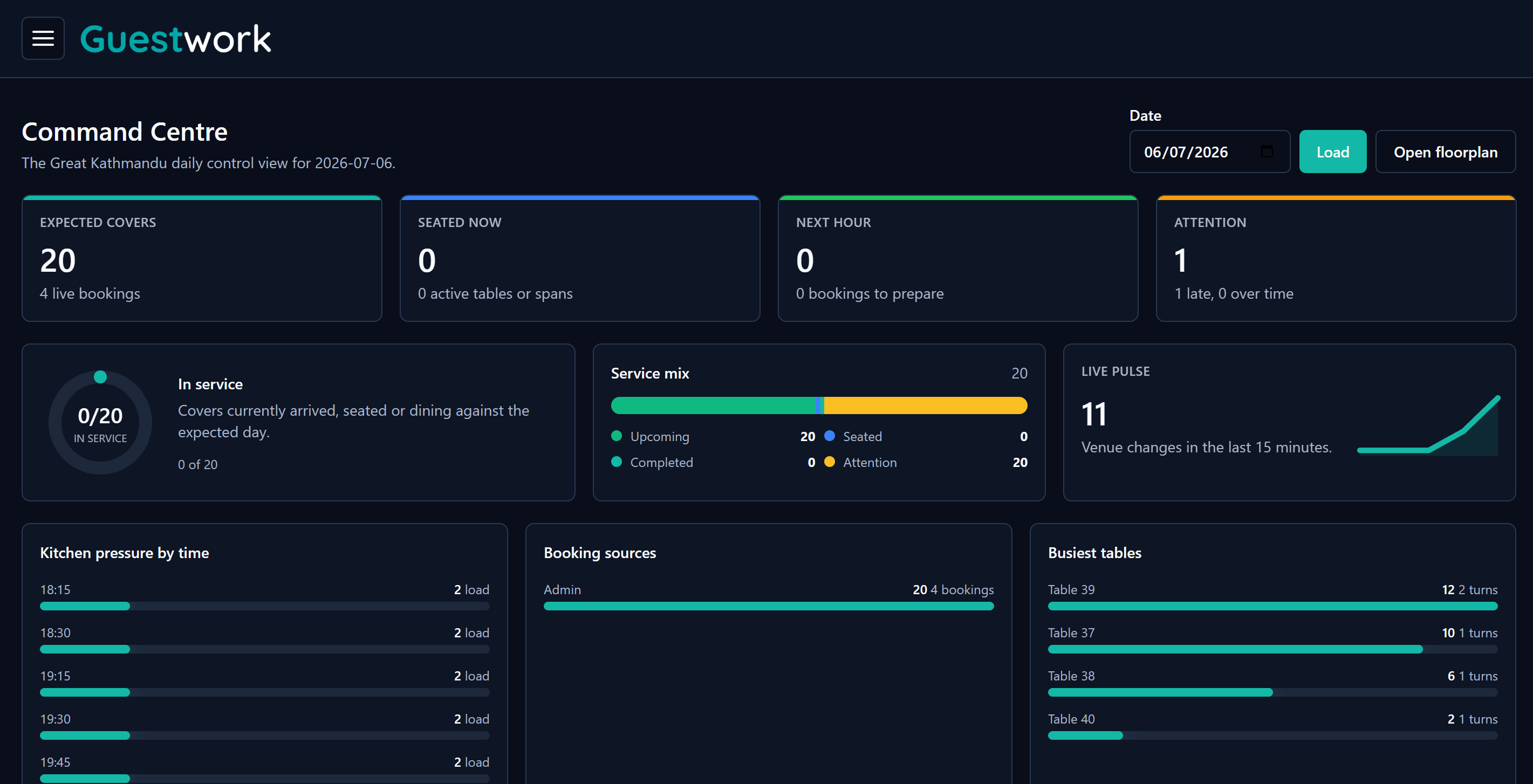
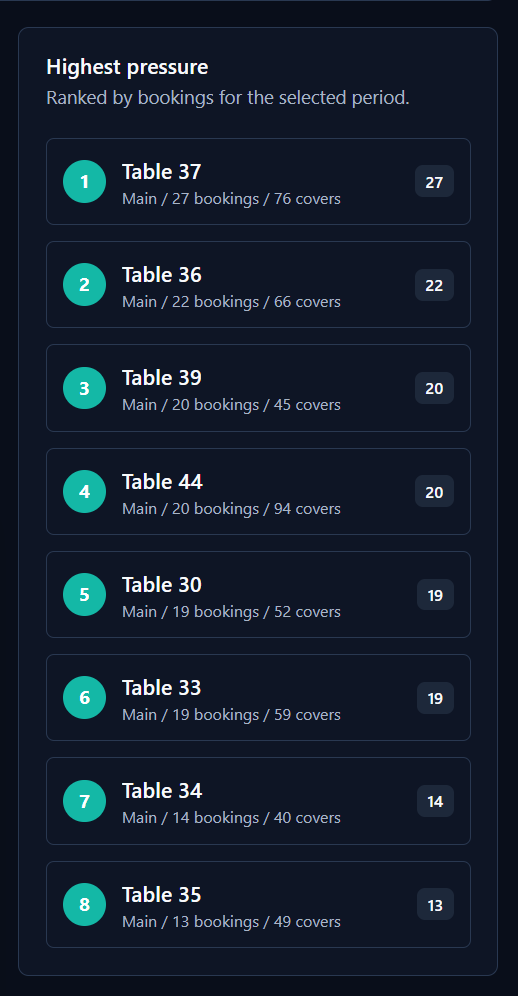
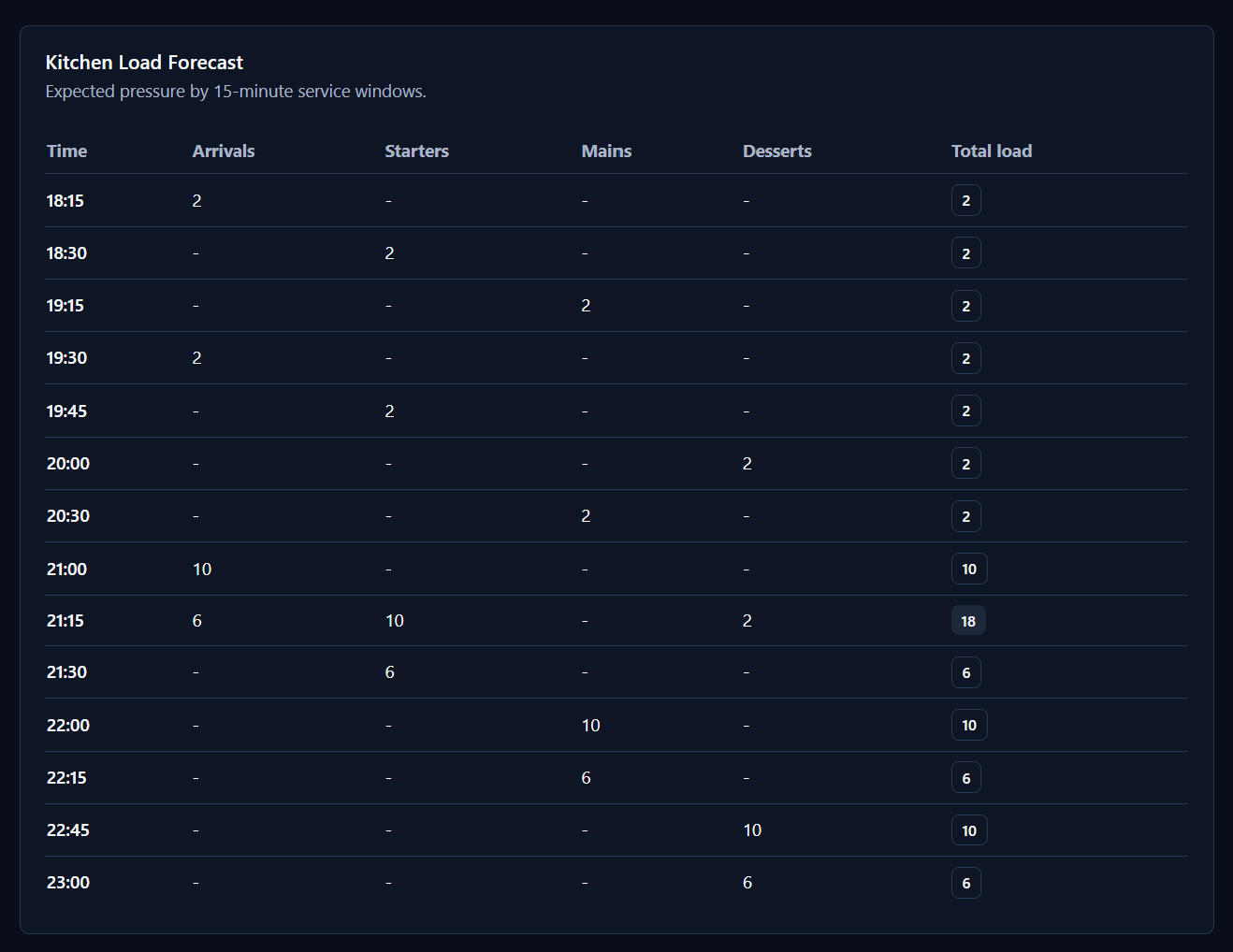
Guestwork ranks the busiest tables and forecasts kitchen load by service window, so the team can see where bookings, covers, and courses are stacking up before that pressure spills onto the floor.
Table pressure shows where guests are concentrated. Kitchen load shows when the work lands. Together they give staff a calmer way to pace the shift.
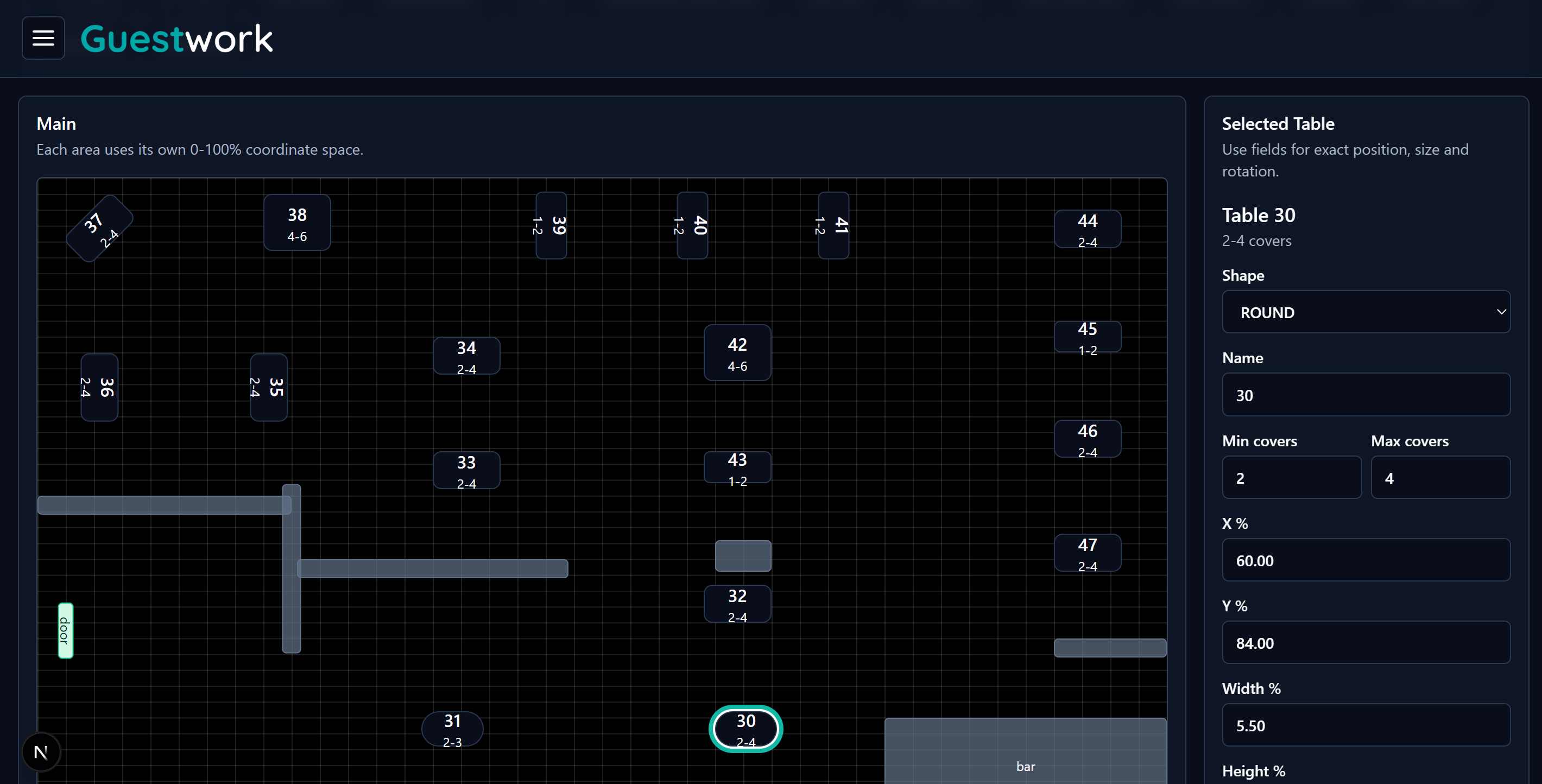
The editor lets you place tables, walls, doors, bars, stairs, labels, and blocks into their real positions for each area.
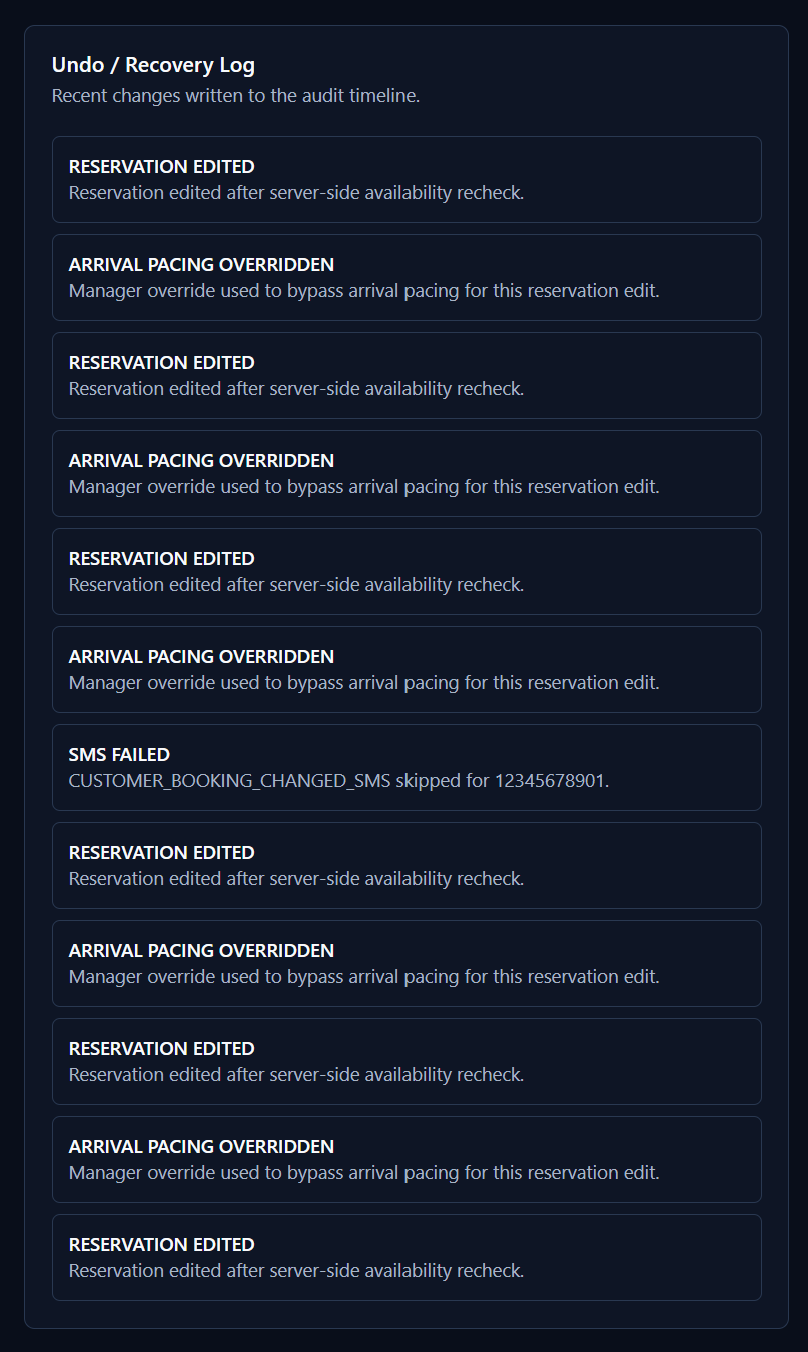
Guestwork writes key booking, pacing, override, SMS, and recovery events to an audit timeline, so managers are not left guessing after a busy service.
When a reservation changes, a pacing rule is overridden, or a message fails, the trail stays visible for review and recovery.
This is not software made from the outside looking in. Guestwork is being built by an operator-led team that understands bookings, covers, late changes, table pressure, staff handovers, and the difference between a calm list and a busy restaurant.
Product decisions come from real floor-service problems, not from abstract, out-of-touch assumptions or a generic marketplace playbook.
The team combines restaurant operating experience with the technical understanding needed to build, improve, and support the system.
Guestwork is shaped around actual restaurant workflows: floorplan setup, staff day view, room control, booking status, matrix view, and table release.
The aim is practical control for restaurants, cafes, bars, and private dining venues that need a clear system without losing their way of working.
Built for independent operators of any size, from one room to multiple venues, with teams that need bookings, walk-ins, statuses, and table decisions in one place.
Guestwork is led by people who understand restaurant service from the floor, not only from a software roadmap. The team is building a booking system that understands the room, not just the reservation.
The goal is to give independent restaurants software that feels like it was made by a team that has watched bookings arrive, handled awkward table changes, and still needed service to run smoothly.
Articles about table control, pacing, guest records, and why Guestwork is being built around the pressure of real restaurant service.
How the floor can keep learning from guest habits, table moves, dwell times, and service pressure.
Service pressureThe real test is the live floor, where one rushed decision can cost revenue.
Origin storyHow the shutdown sharpened the need for a booking system built from the restaurant side.
Restaurant profitWhy expensive booking apps can cannibalise your existing guests and drain margin.
Floor controlHow table allocation, room areas, and service pressure change what a booking system needs to do.
AlternativesA practical checklist for restaurants reviewing their next booking system.
Tell us a little about your venue and the Guestwork team will come back with a time to walk through the product.